Repository navigation
Getting the first selected token as input next token search #397
Description
Activity
Thanks for the bug report. These issues are usually related to how the keyboard provides text to the text field. Can you share what Android OS, manufacturer and keyboard you are using? I'm also not exactly sure what behavior you are describing. I would expect to get a string object back for the query string, so I'm not sure what's wrong with that. Is "raj" the string you searched with for the first item?
I think I found the underlying bug here. Expect a fix in the 4.0.0 release.
Hey, any progress regarding this bug?
4.0.0-beta03should resolve some of it, but this is a problem relating to how some keyboards interact with the autocomplete processing system, so do let me know if there's a specific Android OS/keyboard/device combination you're still seeing trouble with.4.0.0-beta03should resolve some of it, but this is a problem relating to how some keyboards interact with the autocomplete processing system, so do let me know if there's a specific Android OS/keyboard/device combination you're still seeing trouble with.Yes, i upgraded to 4.0.0-beta3 and its fixed on my oneplus device using latest gboard but for some reason i have setSingleLine attribute in my Custom edittext set to false programmatically to accommodate all the chips in the view but after upgrading from 2.0.8 to this version onTokenAdded and onTokenRemoved are not fired up when setSingleLine attribute is set to false, tried many things but got nothing
Can you try using
allowCollapse(false)instead of changing setSingleLine? I'm just guessing here - I can't reproduce the issue you're seeing in the example project.Can you try using
allowCollapse(false)instead of changing setSingleLine? I'm just guessing here - I can't reproduce the issue you're seeing in the example project.Thanks for replying, i tried setting allowCollapse and performCollapse both didnt work, please wait i'll post the sample along with the code which worked on version 2.0.8 within 1-2 hours
@mgod i've just pushed a sample code here on public repo, i've used your library in an ongoing college project which will soon be made opensource but for the time being i cannot share the exact code but snippets from it demonstrating the issue.
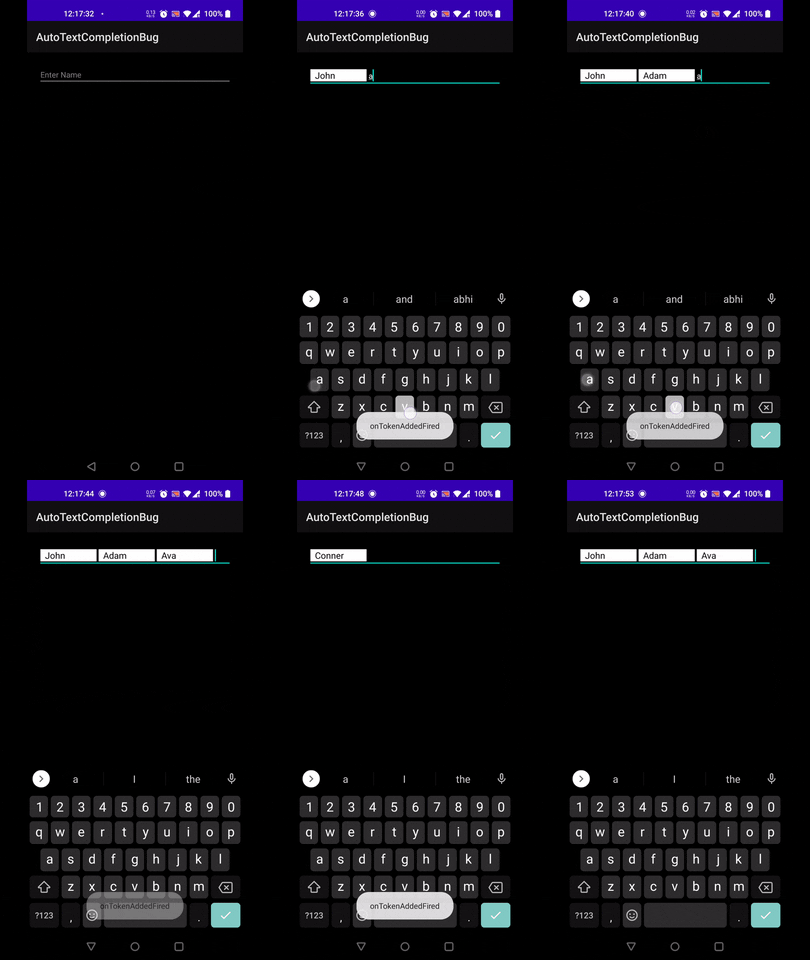
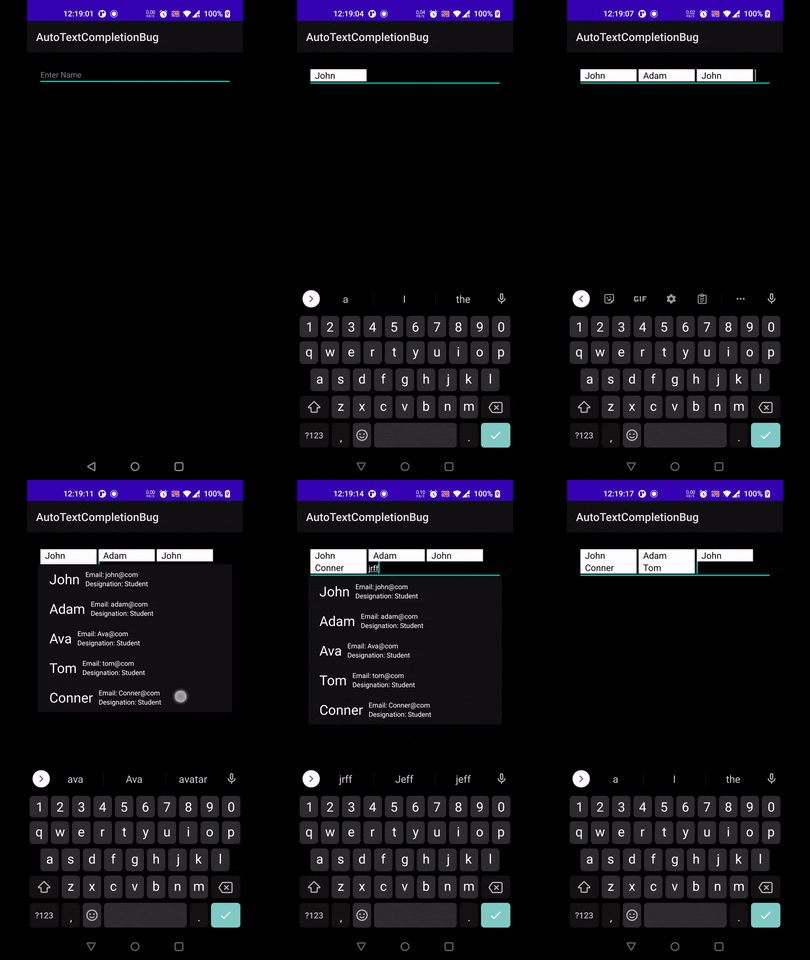
The intended behavior which was working fine with same views , code and setSingleLine false was to get a new line whenever the chips overflow in the TokenCompleteTextView in version 2.0.8 but after upgrading to 4.0.0-beta04 if setSingleLine is set to false, tokenlistener dosent work (setting allowCollapse, performCollapse doesnt give a new line). Below Gif is the setSingleLine true and allowCollapse set to false in both cases-
and below is the gif when setSingleLine is set to false, i get the desired behavior of getting a new line on chip overflow but tokenListener doesnt work
Thank you for sparing your time till now!
nvm it turned out be an issue with layouts i used, changed parent layout of tokentextview to framelayout and its working like a charm without setSingleLine, but still tho cant understand why setSingleline false would interfere with tokenListeners, Thanks for your time @mgod
The only thing I can think of here is that the token listeners depend on the underlying text buffer, so if changing the single line value with different layouts is causing some kind of unexpected change in the underlying value, it might break things. I'm going to leave this open in case someone else runs into this issue and hope we can figure out more details.


Hello team,
I am using this library in one of my project. It is great library to implement gmail like chips. But after upgrading the latest 3.* I am getting a strange issue. The issue is if I start typing first time it shows me the suggestions and then immediately I am selecting the item. It shows on the auto complete textview. Then when I try to search for another I am getting the previous selected item object with newly entered characters. (Ex: Suppose selected item is, "Sekhar". Now If i start search for another user I am getting the query string as "String object raj") like this. But there is no problem with the old 2.* library.